“Can we run this on Google, too?”
It sounds like a small request. The ad already exists. The offer is approved. The team knows which version has been working on Meta.
Then the files come out. The vertical video loses its headline in a horizontal crop. The product images cover some formats, but leave others empty. The shorter cut needs a new ending because the call to action disappeared with the last ten seconds.
By the time everything is ready, that small request has become a design task, a video edit, a copy brief, and another round of approvals.
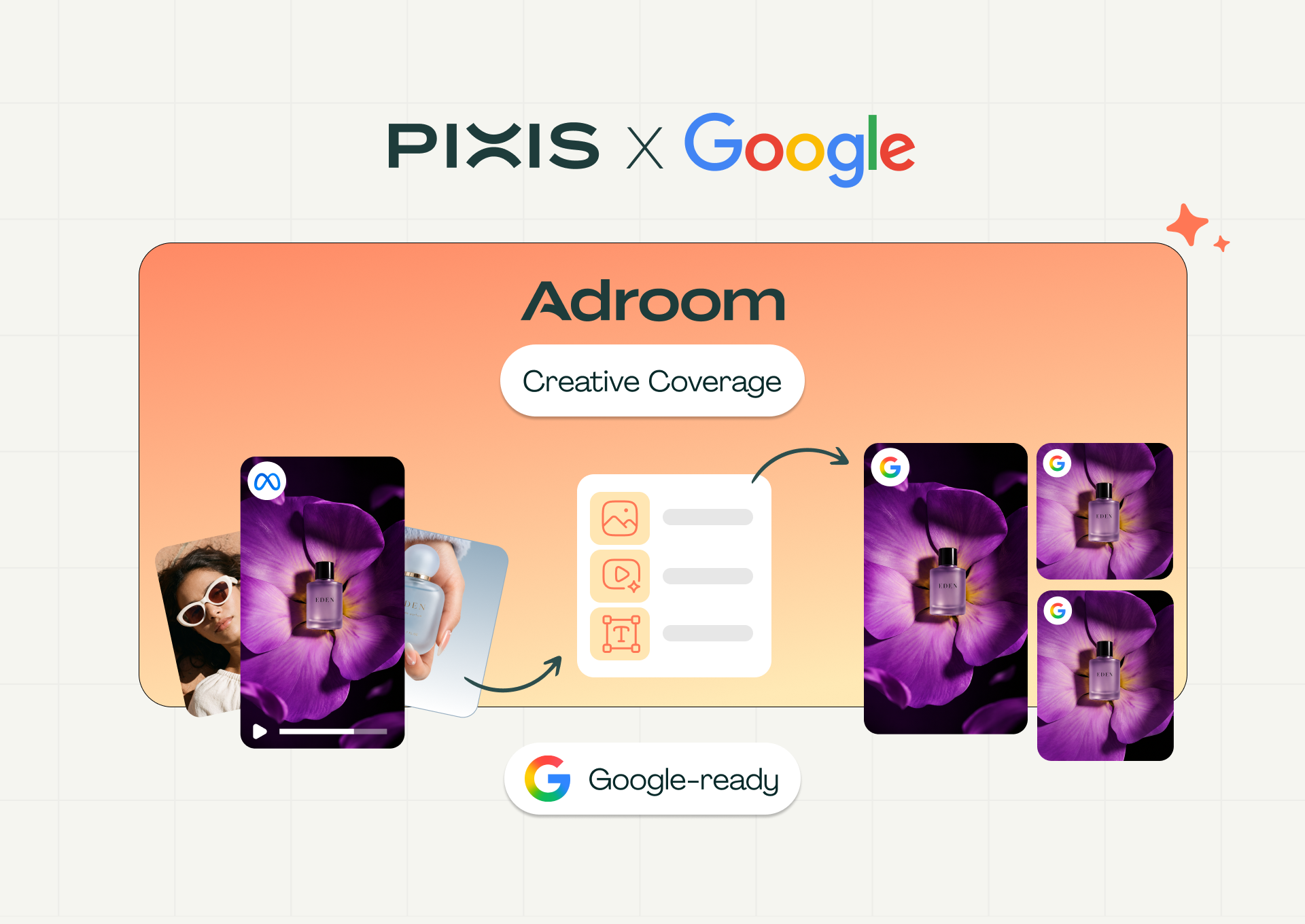
Google Creative Coverage is now live in Adroom to bring that work into one place. Built through Pixis’ technology co-development initiative with Google, it helps teams turn existing creative and brand assets into a Google-ready set for Demand Gen and YouTube Video Reach campaigns.
Coverage audits what you have, identifies the missing formats, adapts suitable assets, and generates the gaps using your Brand Kit and campaign brief. Generated videos receive ABCD evaluation, and outputs move through review and specification checks before export.
Your team gets a shorter path from “we have the creative” to “we have the set.” The decisions about brand, message, and quality stay with the people launching the campaign.
Key Takeaways
- See the gaps before production starts. Audit the creative available in your Google Ads account, then check selected assets against a specific campaign type.
- Put existing creative to work. Bring in Google and Meta assets, brand library creative, or uploaded files, and adapt suitable assets for the selected Google formats.
- Generate what the campaign is missing. Use your Brand Kit and campaign brief to guide new images, copy, and video.
- Keep quality checks close to creation. Evaluate generated videos against Google’s ABCD framework and review every output before approval.
- Export an organized, spec-checked set. Download approved assets for upload, with off-spec files flagged and excluded from the default export selection.
The Last Few Assets Can Hold Up the Whole Campaign
Imagine a seasonal promotion with an approved offer, a strong vertical video, and a folder of product images. The team has already done the difficult work of deciding what to say. Preparing the Google campaign reveals a second assignment: making sure the creative exists in the formats the campaign needs.
That assignment can be surprisingly fragmented. A marketer checks the account. A designer takes the images. An editor takes the video. Someone else collects the copy and checks whether the latest files match the latest brief.
Every request is reasonable. Together, they create a queue.
Coverage gives that queue a shared plan. Your team can see which assets already fit, which can be adapted, and which need to be made. Production starts with the actual gaps, so a missing horizontal video does not turn into an open-ended request for more creative.
Here is how the workflow takes that seasonal campaign from its existing assets to an approved Google-ready set.
1. Audit Your Google Ads Account and Identify Missing Creative
A folder can look full while a campaign is still missing something essential. The first job is to find out what is actually usable.
With your Google Ads account connected and synced, Account Coverage scans available creative and shows the covered and missing items on its account-level checklist.
The audit checks video coverage, including vertical video, alongside a recommended seasonal or audience-specific asset. Your team can expand the results, inspect the available assets, and use Create assets to move from an identified gap into campaign preparation.
For a specific launch, Campaign Coverage checks the assets you select against Demand Gen or YouTube Video Reach requirements. It shows coverage by category and flags issues such as unsuitable ratios or durations.
The account audit answers, “Where are the gaps in our available creative?” The campaign check answers, “What does this launch still need?” Required gaps are identified separately from recommended coverage, helping the team decide what to make first.
A coverage percentage represents completed checklist slots. The actionable information sits underneath it: which assets qualify, which need work, and which are absent.
2. Adapt Existing Ads, Including Your Meta Winners
The Meta video in our seasonal campaign already contains useful work: a product story, an offer, and creative decisions the team has approved. Coverage lets you bring that work forward.
Coverage accepts uploaded images and videos, assets from the Adroom Brand Library, and creative from connected Google and Meta accounts. You can also start from an existing synced campaign and bring its assets into the workflow before choosing the target Google campaign type.
A Meta winner gives you a promising starting point for a Google test. The next creative decision is how much of the original can carry into the new format.
The Coverage Plan organizes the work into three actions: keep an asset that already qualifies, adapt an existing asset, or generate a missing one.
For video orientation changes, adaptation options include cropping, plain padding, blurred padding, and regeneration with AI. Suitable footage can also be trimmed to the required duration. The choice depends on what the source can support.
Take a vertical product demonstration. If a horizontal crop cuts off the product or the offer, changing the dimensions has created a new problem. Padding can preserve the full source. When the composition needs more substantial work, regeneration provides another route.
For a different asset, a simple crop may be enough. The point is to choose the treatment the creative can support.
These decisions happen against the campaign’s target requirements. Your team can see what it is reusing and why, then review the adapted result before it leaves Adroom.
[Screenshot: Coverage Plan with Covered, ADAPT, and GENERATE actions, plus an expanded video adaptation selector.]
3. Generate the Missing Assets From Your Brand Kit
At this point, our seasonal campaign has a smaller to-do list. The images that qualify stay. Suitable video goes through adaptation. The remaining formats become specific generation tasks.
Coverage uses a completed Brand Kit containing the brand name, logo, colors, product information, and creative guidelines to guide generation. Your campaign brief adds the audience, objective, offer, CTA, and any messaging restrictions.
The Brand Kit and brief answer different questions. What should this look and sound like? What are we asking the customer to do this time?
A returning-customer promotion may lead with a familiar product and a new offer. An introductory campaign needs to explain why the product deserves attention in the first place. Giving generation that context helps the new assets belong to the campaign.
You can type the brief or upload it and review the extracted text. A clean product packshot provides a useful visual reference; video generation needs a product reference through the packshot or Brand Kit product information.
Before generation begins, the Coverage Plan shows the proposed work and estimated credit cost. Your team can confirm the adaptation decisions and the assets to be generated, then move into production.
New images, copy, and videos appear within the same workflow. If an item needs improvement, you can regenerate it with additional instructions while other completed assets remain available for review.
The team can review the new assets against the same offer, audience, and brand references that shaped the request. There is less time spent explaining the campaign again each time a missing format changes hands.
4. Score Generated Videos Against Google’s ABCD Framework
The video fits the frame. Now comes the more interesting question: does it make its case?
An opening can look polished and take too long to reach the product. A story can hold attention and leave the viewer unsure which brand it belongs to. A shorter edit can preserve the demonstration while losing the reason to act.
Coverage evaluates generated videos against Google’s ABCD framework, giving reviewers feedback on attention, branding, connection, and direction before approval.
These checks bring the creative discussion into the production workflow. Does the opening give someone a reason to keep watching? Is the brand recognizable? Does the product story connect with the intended audience? Does the video make the desired action clear?
Your team reviews the video alongside the evaluation and can use that feedback to guide revisions. The campaign brief helps from the first attempt: explicitly naming the product, brand, and required CTA gives generation clearer instructions about what must appear in the story.
ABCD results inform the review. Your team still decides whether the output is ready and approves each acceptable item.
That approval is part of the workflow. Generation must finish and every reviewable item must be approved before Ready & Download becomes available. If an approved asset is edited or regenerated, its approval is cleared so the new version can be reviewed.
A weak opening becomes a revision the team can address while the video is still in production. The review travels with the asset all the way to approval.
5. Export a Spec-Checked Set Ready for Upload
The last stretch of campaign preparation often involves a less glamorous creative skill: finding the right files.
Coverage brings the approved outputs together with their readiness information and a coverage summary, so the team can review the set it is about to download.
Your team can inspect the intended set, review specification warnings, and choose what to include in the export. Off-spec assets are flagged and excluded from the default selection because they do not meet the selected slot’s requirements.
The download organizes media into image and video folders, with text outputs in a separate copy file for use in Google Ads. The result is a set prepared for upload, with creative review and specification checks completed within Adroom.
The work remains available after download. The Coverage Library stores created assets for the brand, while Run History records the inputs, outputs, approval states, ABCD results, and specification validation associated with each run.
That record helps the next campaign begin with context. Your team can see what was supplied, what was created, and which outputs were approved, then build from the work already completed.
A Few Clicks Should Get You Closer to Launch
Return to that original request: “Can we run this on Google, too?”
With Coverage, the team can bring in its existing creative, choose the target campaign, and see the work ahead. An asset that fits stays in the plan. An asset that needs a new shape goes through adaptation. A missing format becomes a generation task with the brand and brief already attached.
The useful speed gain runs through the whole process. The team spends less time turning an audit into a production request, moving context between tools, and assembling the final set. It can spend that time deciding whether the product is clear, the offer is compelling, and the creative is ready to represent the brand.
For Adroom, that is the purpose of bringing Coverage into the creative workflow: make the next production decision easier to see, and carry it through to an approved asset your team can use.
See What Your Next Google Campaign Is Missing
Google Creative Coverage is live in Adroom for Demand Gen and YouTube Video Reach campaign preparation.
Start with a free creative coverage audit to understand where your Google asset coverage stands and which gaps to address next.
Get My Free Creative Coverage Audit
Have a campaign in mind? Tell us what you are planning through the contact form below, and talk to the Adroom team about preparing your next Google-ready creative set.