
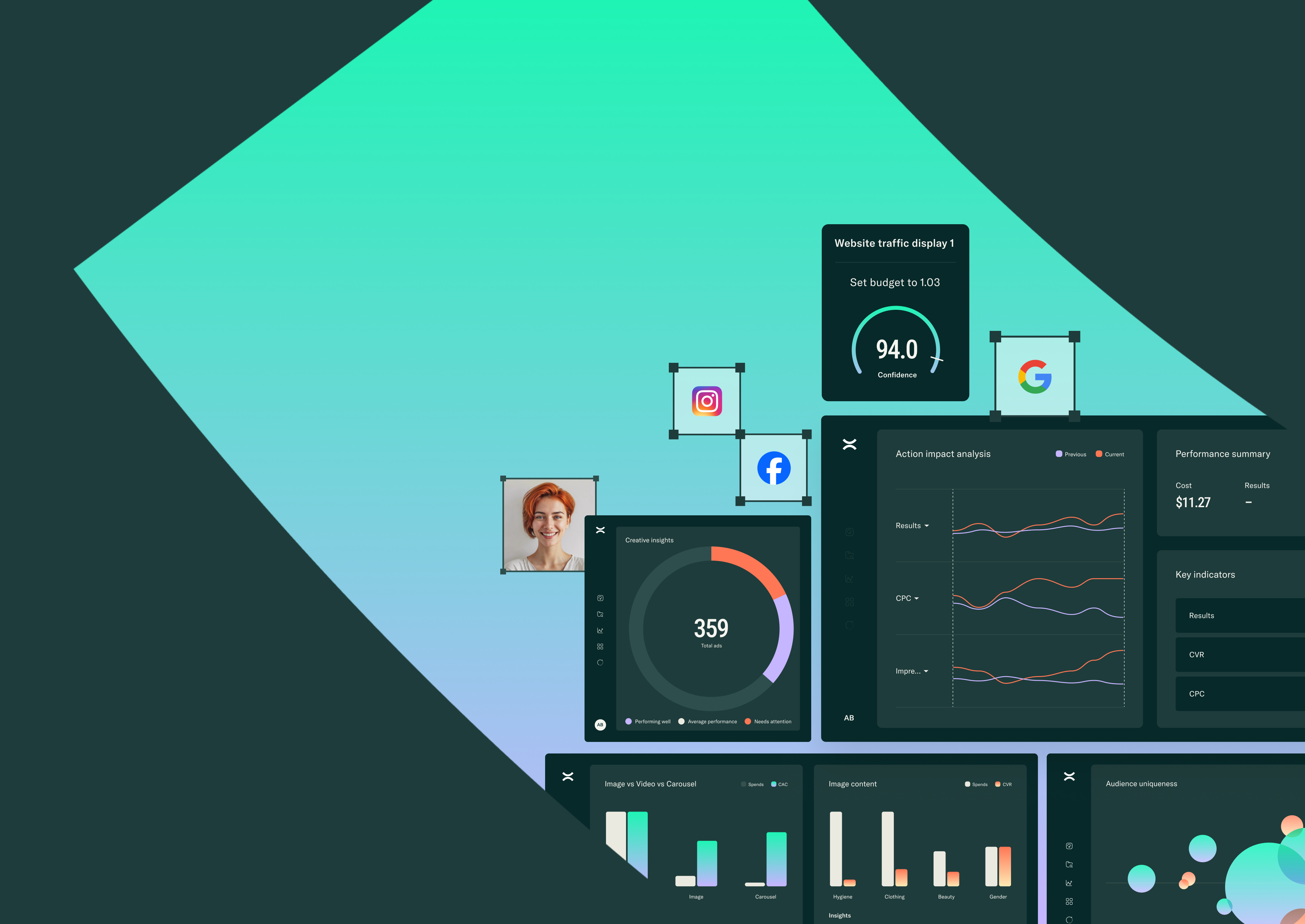
You're drowning in data from multiple platforms. By the time you compile a report, its insights are already stale. The campaigns you wanted to optimize yesterday are still running with the same settings because analysis took too long.
An AI dashboard solves this by automatically collecting and analyzing your data. It tells you exactly what to do next, with no manual work required. We'll walk you through the features that matter, from integrations to forecasting. You can then pick a platform that saves time, not adds complexity.
Why you need an AI marketing analytics dashboard
An AI marketing dashboard automatically collects, analyzes, and visualizes your data. It pulls from sources like Google Ads, Meta, email tools, and your CRM. The AI part means it doesn't just show you charts. It identifies patterns, predicts what's likely to happen next, and tells you what to do about it.
Here's the difference. A regular dashboard shows you that your cost per acquisition jumped 40% yesterday. An AI dashboard tells you why it happened and which audience drove the spike. It also suggests three ways to fix it before your second coffee.
You spend hours pulling reports and squinting at spreadsheets to spot trends. AI can finish that same work in seconds.
Must-have features for real-time data integration
1. Native connectors for every channel
Pre-built integrations save you from writing custom API calls or hiring engineers. The dashboard connects directly to your platforms without middleware slowing things down.
Common connector types:
- Paid advertising: Google Ads, Meta Ads, LinkedIn Ads, TikTok Ads, and Pinterest Ads.
- Organic channels: Google Analytics, Google Search Console, Instagram, Twitter.
- Email and SMS: Klaviyo, Mailchimp, Sendgrid, Attentive.
- Ecommerce and CRM: Shopify, WooCommerce, Salesforce, HubSpot.
The more native connectors available, the less time you spend on data plumbing. We've seen teams cut setup time from weeks to days. They picked a platform with the right integrations already built.
2. Live refresh and streaming updates
Real-time streaming means you see performance changes as they happen, not hours later. When you're running high-budget campaigns or testing new creative, you can catch problems before they burn through thousands of dollars.
Batch processing might update your dashboard every four hours. Streaming updates refresh every few minutes. When a campaign tanks at 2 PM, you know at 2:05, not 6 PM.
3. Customizable dashboards and views
Drag-and-drop widgets let you build the exact view you want without a developer. Create separate dashboards for paid social, email performance, and overall ROI, then save each as a template.
Role-based views mean your CEO sees high-level ROAS and revenue while your media buyer sees frequency and cost per click. Everyone gets what they care about without wading through irrelevant numbers.
Smart KPI tracking and predictive analytics in one view
AI dashboards forecast what's coming and tell you how to respond. This goes beyond reporting what already happened.
1. Automated anomaly detection
Anomaly detection is when AI flags unusual spikes or drops before you notice them. If your cost per click jumps 30%, the dashboard alerts you immediately. It provides context on which campaigns are driving the change.
2. ROAS and LTV forecasts
Return on ad spend and customer lifetime value predictions use your historical data to estimate future performance. When you plan next quarter's budget, the AI can help. The AI projects which channels will deliver the best returns based on seasonal patterns and current trends.
Forecasts get more accurate over time as the model learns your business cycles. Early predictions are directionally correct. Six months later, they're typically within 10–15% of actual results.
3. Budget reallocation suggestions
AI recommendations for shifting spend between campaigns appear when the model spots performance gaps. If your Meta campaigns deliver 4.2x ROAS while Google Ads sits at 2.1x, the dashboard suggests moving 20% of your Google budget to Meta.
You don't have to follow every suggestion. But having them surface automatically beats manually comparing performance across platforms every morning.
Automated reporting that cuts hours from your week
1. Scheduled email or Slack reports
Automated delivery sends performance summaries to your inbox or Slack at whatever frequency you pick. Set the recipients, metrics, and format once, then forget about it.
2. Presentation-ready exports
One-click export generates branded PDFs or slide decks formatted for stakeholder presentations. Instead of copying numbers into PowerPoint and formatting charts for 30 minutes, you download a finished report in seconds.
3. Natural-language summaries
AI-generated text translates data trends into plain English. Instead of a graph showing an 18% CTR increase, you read a simple summary. For example: 'Your Meta campaigns performed better this week due to higher engagement.'
See how Pixis automates your reporting workflow
Audience segmentation powered by machine learning
1. Look-alike cluster discovery
Machine learning clustering identifies groups of customers with similar characteristics without you defining segments upfront. The AI discovers high-value segments, like weekend shoppers who respond to video ads and spend 40% more than average.
2. Journey stage classification
AI tracks where customers are in the buying process and assigns them to stages like awareness, consideration, or decision. This happens automatically based on pages visited, emails opened, and products viewed.
3. Next-best action recommendations
AI suggests optimal timing, channel, and message for each customer segment. If prospects convert after three emails and two retargeting ads, the AI recommends that sequence.
Recommendations improve as the model learns which actions actually drive conversions. Early suggestions are educated guesses. Six months in, they're based on hundreds of successful customer journeys.
Creative performance insights that drive better ads
1. Asset-level scoring and tagging
AI evaluation assigns performance scores to individual images, videos, headlines, and body copy. You see that video ads with product demos score 8.7 out of 10. Meanwhile, headlines mentioning 'free shipping' outperform others by 23%.
2. Message and visual trend analysis
AI identifies winning themes, colors, and messaging patterns across all your campaigns. The dashboard surfaces winning patterns. For example, it shows if blue backgrounds or urgency-based messaging drives more conversions.
3. AI-generated creative suggestions
AI recommends new creative directions based on performance data and market trends. The dashboard suggests testing new approaches. This includes responding to competitor campaigns or new visual styles in your industry.
We at Pixis built our platform to go further. It generates creative assets based on these insights.
Security, governance, and data privacy essentials
1. SOC 2 and GDPR compliance
SOC 2 certification means the platform passed independent audits for security, availability, and confidentiality. GDPR compliance ensures customer data is handled according to European privacy laws, even if you're not based in Europe.
Data encryption protects information both in transit and at rest. Platforms handling customer information encrypt data using AES-256 or equivalent standards as a baseline.
2. Role-based access controls
Permission settings limit data access based on team roles. Your media buyers see campaign performance but not customer email addresses. Your CEO sees revenue data but can't accidentally delete campaigns.
Granular permissions prevent both accidental mistakes and intentional misuse. You can grant view-only access, editing rights, or admin privileges depending on each person's role.
3. Data lineage and audit trails
Tracking data sources and changes creates accountability and simplifies troubleshooting. If a number looks wrong, you trace it back to the original source and see every transformation applied.
Audit trails show who made changes and when. If someone accidentally deletes a dashboard or changes a metric definition, you see exactly what happened and roll it back.
How to choose the right dashboard for your stack
Start by listing every tool you currently use for advertising, analytics, email, and customer data. Then check which platforms offer native connectors for all of them.
1. Integrations checklist
- Must-have: Current ad platforms (Google, Meta, TikTok), CRM, email tools, and ecommerce platform.
- Nice-to-have: Attribution tools, customer service platforms, offline data sources, and data warehouses.
2. Total cost of ownership questions
Subscription fees are only part of the cost. Ask about implementation fees, training costs, charges for additional users or data sources, and ongoing support packages.
Some platforms charge per connected data source or per monthly active user. Others have flat pricing regardless of scale. Calculate the true cost based on your team size and data requirements, not just the advertised starting price.
3. Support and training considerations
Onboarding assistance determines how quickly your team gets value from the platform. Vendors offering dedicated onboarding sessions, comprehensive documentation, and responsive customer success teams make implementation smoother.
Ask how long typical implementations take and what resources the vendor provides. A platform with great features but terrible support will sit unused while your team struggles to configure it.
Rollout checklist to launch without the headaches
Implementation goes smoothly when you follow a clear sequence.
Step 1: Align stakeholders on KPIs
Get agreement on key metrics before setup begins. Involve both marketing and executive teams in defining what success looks like and which numbers matter most.
Misalignment causes problems later. Your CEO may ask for metrics the dashboard doesn't track, or teams may define ROAS differently. Spend time upfront to agree on definitions and priorities.
Step 2: Map data sources and permissions
Audit your current data connections and set up proper access credentials for each platform. You'll need admin access or API keys for most integrations, which often requires help from IT or platform administrators.
Document which team members need access to which data sources. This prevents delays when someone realizes they can't see the metrics they're responsible for.
Step 3: Pilot, iterate, and document prompts
Start with a small team or campaign subset rather than rolling out to everyone at once. Run the pilot for two to four weeks, gather feedback, and refine your setup based on what you learn.
Create reusable AI prompt templates for common tasks like weekly reporting or campaign analysis. Save prompts and version them as you improve. Treat them like any other marketing asset.
Let's turn insight into action together
The gap between data and action is where most marketing teams lose momentum. You see a problem in your dashboard. By the time you analyze it and implement changes, the opportunity has passed.
AI dashboards close that gap by moving from insight to recommendation instantly. But the real power comes when AI doesn't just tell you what to do but helps you do it. We at Pixis built our platform around this idea. AI is a partner that handles heavy lifting so you can focus on strategy.
Ready to see how AI can transform your marketing analytics? Try Pixis today to shape what happens next.
Frequently asked questions about AI marketing dashboards
Can an AI marketing dashboard backfill years of historical data?
Most AI dashboards can import historical data from your platforms. The depth depends on each platform's data retention policies and API limits.
Google Ads allows access to several years of data. Some social platforms limit historical pulls to 90 days or less.
AI models perform better with more historical data. This helps them identify long-term patterns and seasonal trends. They still provide value with only a few months of history.
How transparent are the AI models behind marketing dashboard insights?
Quality AI platforms explain their recommendations. They show the data sources and logic behind each insight, though algorithms are proprietary.
These dashboards list which data points influenced a recommendation. They also show the assumptions made and the AI's confidence level.
Does an AI marketing dashboard replace my existing business intelligence tools?
AI marketing dashboards complement BI tools rather than replacing them. They focus on marketing data and AI insights. BI tools handle broader business analytics across departments.