

A writer pitches a new article on "project management software comparison." It sounds like a gap. Then someone checks Search Console and finds two existing posts already earning impressions for that phrase, plus a third page from 2024 that nobody remembers publishing.
That is the usual starting point for keyword mapping. Most sites do not lack pages for a keyword; they have several half-matching pages, and a new article would make the overlap worse.
The hard part is not finding candidate pages. It is deciding which one should own the keyword, and what to do with the others, before anyone writes a brief. That decision depends on search intent, current performance and how the pages relate to each other.
This guide explains how to collect candidate pages, match them to intent, choose between update, merge, create new and leave alone, and check that the decision held.
Key takeaways
- Check Search Console for pages that already earn impressions for a keyword before you commission anything new. The existing page is usually the faster route to a ranking.
- Let the live search results define intent. If your page's format matches what Google ranks, it is a candidate to update; if not, it probably is not the right owner.
- Every keyword in the map resolves to exactly one URL and one action: update, merge, create new or leave alone.
- Variations that share an intent belong on one page as secondary keywords, not on separate URLs.
- Pixis Visibility connects to Google Search Console and tracks keyword positions, which helps you see which page earns a query and whether a change worked; the mapping decision itself stays with your team.
Set up the keyword-to-URL map first
The map is a spreadsheet, and it becomes the gate every new content brief passes through. Before commissioning an article, someone checks the map. If the keyword is already assigned, the work becomes an update to that page.
Use one row per target keyword and these columns:
- Target keyword
- Search intent (informational, commercial, transactional, comparison)
- Current ranking URL
- Search Console impressions and average position
- Assigned URL
- Action: update, merge, create new or leave alone
You also need access to the Performance report in Google Search Console, which holds up to 16 months of data. For sites with more than a few hundred URLs, add a crawl export that lists every indexable URL with its title tag and H1, so you can scan for candidates quickly.
If you have not yet decided which keywords deserve a row, start with a keyword gap analysis and come back with the shortlist.
Step 1: Pull the pages that already earn impressions
Open Search Console, go to Performance, then Search results. Add a query filter for the target keyword and switch to the Pages tab. Every URL listed there already receives impressions for that query.
This is your first candidate list, and it is the most reliable one, because it reflects what Google has already chosen to show. Record each URL with its impressions and average position in the map.
Use a date range of at least three months. Shorter windows can miss pages that rank intermittently, and those intermittent pages are often the ones competing with your main page.
Step 2: Find the pages Search Console misses
Search Console only shows pages that have earned impressions. A newer page, or one that ranks too low to register, will not appear. Two quick checks close that gap.
- Search Google for site:yourdomain.com followed by the keyword in quotes. Any page returned mentions the phrase. If three or more results appear, several pages are already covering the same ground.
- Use your site's internal search, or search the crawl export for the keyword in titles and H1s. This surfaces content that exists but has not earned impressions yet.
Add these pages to the map with zero impressions noted. They matter for the decision even if they do not rank, because a forgotten page can still compete once it is updated or linked.
Step 3: Match each candidate to search intent
Search the keyword and look at what ranks. If the first page is mostly list-style comparisons, Google reads the intent as comparison. If it is mostly product pages, the intent is transactional. That format is the clearest signal of what searchers want.
Now compare each candidate. A how-to guide will struggle to rank for a keyword where Google shows comparison lists, however good the guide is. A page whose format matches the results is a real candidate; a page whose format does not match is probably serving a different keyword.
Clustering tools can speed this up by grouping related queries, but they sometimes put two distinct intents in one cluster. Check any cluster against the live results before you assign its keywords to one page.
Step 4: Choose one action per keyword
With intent settled, each keyword gets one owner and one action. The decision usually follows a short sequence.
- Update when one page matches the intent and already ranks on page one or two, roughly positions 8 to 20. It has proven relevance, and a refresh is usually faster than a new page.
- Merge when two pages target the same query with the same intent. Move the stronger content into one URL and 301 redirect the weaker page to it.
- Create new only when no page matches, or when the intent is genuinely different: a different result format or a different user need.
- Leave alone when a page is related but serves another intent and is not competing.
Two pages can share a head term and still be fine if each answers a different question. The test is whether a searcher would be satisfied by either page. If yes, they are competing; if no, they are not.
When Google consistently ranks a page you did not intend as the target, treat that as evidence. Update the map to reflect what Google prefers, then strengthen that page rather than fighting it.
An illustrative example
Suppose the target is "project management software comparison." Search Console shows /blog/best-project-management-tools at position 12 with 440 impressions, and /resources/pm-software-guide at position 18 with 210 impressions. A site: search also finds /comparison/pm-tools-2024 with no impressions. The results page is dominated by list-format comparisons.
The decisions follow from the method. Update the first URL, because it matches the format and sits in the 8 to 20 range. Merge any unique content from the second into the first and 301 redirect it. Leave the third alone for now, and revisit it if it starts earning impressions.
These numbers are made up to show the process. Your own thresholds may differ depending on how competitive the keyword is.
Where mapping goes wrong
Most mapping problems come from a handful of habits:
- A page per variation. Creating a new URL for every keyword variant manufactures the overlap the map is meant to prevent. Variants that share intent belong on one page.
- Ignoring Google's choice. If Google keeps ranking an unexpected page, that is behavioral data. Overriding it without a reason usually costs rankings.
- Trusting clusters blindly. A cluster that mixes two intents leads you to assign mismatched keywords to one page.
- Audits without actions. A map where rows have no action produces a report nobody reads twice. Every row resolves to one of the four actions.
The risk grows with the site. The more pages you publish on related topics, the more likely two of them drift onto the same query, which is why the map needs a regular review rather than a one-time build.
Check that the decision held
After an update or merge, give Google time to recrawl the pages. Requesting indexing through the URL Inspection tool in Search Console can speed this up for a single URL.
Then check three things:
- The target query in Search Console. Filter by the keyword and look at the Pages tab again. Impressions should concentrate on the assigned URL, and its average position should hold or improve. Movement can take anywhere from a few days to a few months.
- One page in the results. Search the keyword and confirm only one page from your domain appears. If two still show, the merge or redirect is incomplete.
- Internal links. Every link that pointed to a merged page should now point to the surviving URL. For a method, see how to use internal linking to improve your SEO rankings.
For ongoing rank checks, the guide on how to check your Google keyword rankings compares the main options.
Where Pixis Visibility fits
The manual work in this process is gathering data: which pages earn a query, where they rank, and whether a change moved anything. That is the part software should handle.
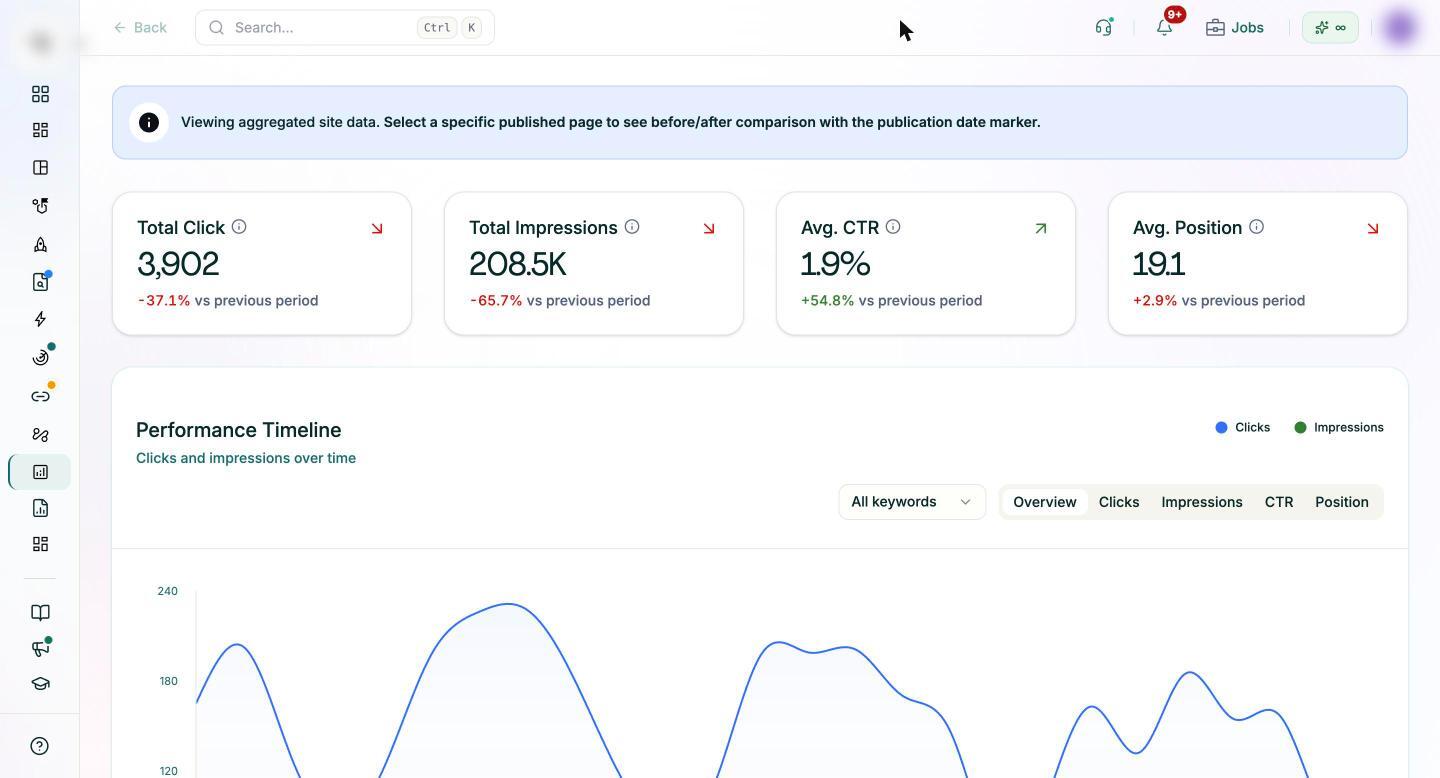
Pixis Visibility connects to Google Search Console, so you can see the queries and pages behind your traffic and compare performance before and after a content change. Keyword position tracking follows the target keywords in your map over time, and keyword clustering groups related queries as a starting point for deciding which belong on one page.
For rows marked update, page audits give each page a technical and content score, list gaps by severity and show a projected traffic opportunity, which helps you decide which updates to do first. For rows marked create new, the content tools can produce a brief and a draft in your brand voice.
What stays manual is the judgment: reading the live results for intent, deciding whether two pages truly compete, and choosing which URL owns the keyword.
Make the map the gate for every new brief
Start with the ten keywords your team most wants to win. Run the four steps for each, fill in the map, and assign one action per row. Expect some planned articles to turn into updates.
From then on, no brief gets written until the keyword has been checked against the map. Review the map every three months, and after any large publishing push, so new pages do not create fresh overlap.
Get started with Pixis Visibility to track the keywords in your map and see which page earns each query in Search Console.
FAQs
What is keyword-to-URL mapping?
It assigns each target keyword to exactly one page on your site, either an existing page to update or a new page to create. The map prevents several pages from competing for the same query and gives every page a clear job.
How do I tell if two pages are cannibalizing each other?
In Search Console, filter Performance by the query and open the Pages tab. If two URLs both receive impressions, and especially if Google swaps which one it shows from week to week, they are likely competing. Check whether they serve the same intent before you merge them.
Can I map keywords with only Search Console and a spreadsheet?
Yes. The Performance report shows which pages earn impressions for each query and at what position, which is enough to build a working map. Larger sites benefit from a crawl export to catch pages that have no impressions yet.