
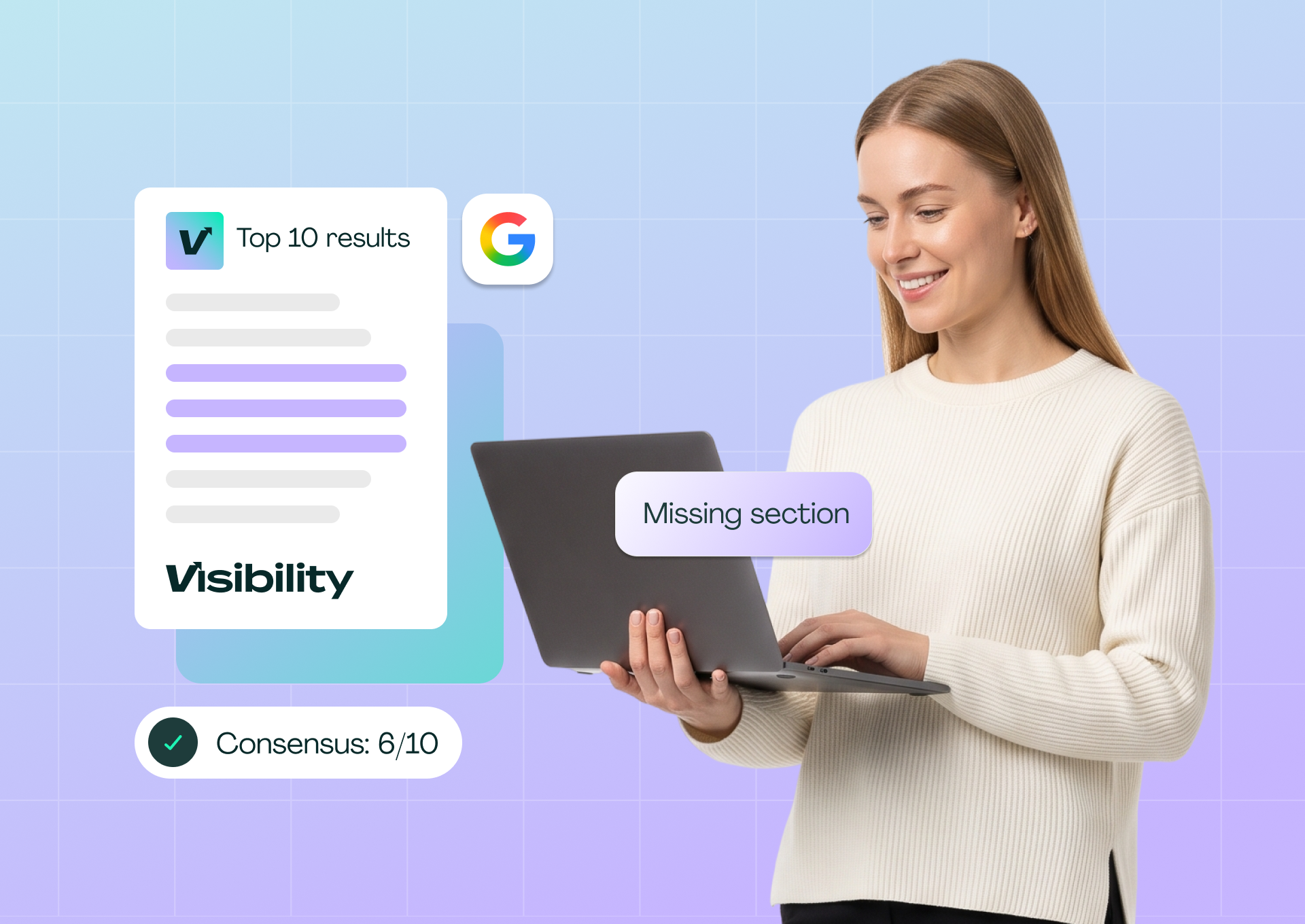
Your page has sat at position 14 for months. The content is accurate, the title is fine, and nothing in an audit looks broken. Then you open the top 10 results and notice that seven of them are roundups with pricing tables, and yours is a long-form guide with neither.
That mismatch is what a SERP structure teardown finds. You collect the pages Google currently ranks for your main keyword, record how each one is built, and compare the patterns with your own outline. The output is a short list of structural gaps, not a rewrite.
The trap is treating every difference as a gap. If you copy everything the top 10 do, you end up with a page that looks like all of them and offers nothing new. The method only works if you separate what most ranking pages share from what makes one page distinctive.
This guide covers how to collect and record the top 10, how to define consensus and differentiators, how to update your outline, and how to check whether the change worked.
Key takeaways
- Compare page type, heading outline, subtopics and formats across the top 10 organic results, not word count.
- Define your bands before you count: consensus (6 or more of 10 pages), common (3 to 5) and differentiators (1 or 2). Each band calls for a different decision.
- The dominant page type is the first thing to check. A guide competing against a SERP of listicles has a format gap no heading change will fix.
- Use the teardown to find gaps, then write your own version. Copying a competitor's structure wholesale adds nothing the SERP lacks.
- Pixis Visibility can track keyword positions, surface content gaps on the page and show before-and-after impact in Google Search Console; choosing what to add stays an editorial decision.
Prepare the teardown
A teardown takes about an hour for one keyword once you have done a few. Set up these inputs first so that hour goes into analysis.
- One main keyword and a live, indexed page. The page should already rank somewhere in the top 100. To confirm the current position, check your keyword rankings first.
- A clean results page. Use an incognito window or a SERP checker set to your target country, so personalization does not skew the list.
- A spreadsheet with one row per URL and columns for page type, H2 and H3 outline, subtopics, formats (tables, numbered steps, FAQ, video), and last-updated date.
- A clear view of your audience and angle, so you can judge which gaps fit your page and which belong to a different kind of page.
Step 1: Collect and classify the top 10
Search your main keyword and record the top 10 organic URLs, skipping ads and SERP features. Classify each page by type: guide, listicle, comparison, tool, landing page or product page.
The dominant type tells you what Google currently believes satisfies the query. An illustrative example: for "best project management tools," 7 of the 10 results are listicles, 2 are guides and 1 is a comparison page. If your page is a guide, that format mismatch is the first gap, and it outweighs any heading change.
If no type dominates, read each page and ask what the searcher can do after landing on it. Match that intent rather than forcing a format.
Step 2: Extract the heading outline from each page
Record each page's H2 and H3 headings verbatim, one row per page. Capture the full hierarchy so you can compare depth as well as topics.
Search Engine Journal's SERP analysis guide suggests evaluating each result on content quality, on-page basics such as title tags and header structure, and multimedia use. Headings are the fastest way to see how each page breaks the topic down.
Continuing the illustrative example, the 7 listicles share 4 H2s: "Top picks," "Pricing comparison," "Features to look for" and "How we tested." The 2 guides use different H2s focused on methodology and use cases.
Step 3: Count subtopics and formats into three bands
Now list the subtopics each page covers and the formats it uses: tables, numbered steps, FAQ sections, video embeds, comparison modules and visible schema-backed features. Count how many of the 10 pages include each one, then sort every item into a band.
- Consensus (6 or more of 10 pages). Treat these as expected. If your page lacks a consensus subtopic or format, it is a likely gap.
- Common (3 to 5 of 10 pages). Worth considering. Add one if it fits your angle and serves the search intent; skip it if it would only pad the page.
- Differentiators (1 or 2 of 10 pages). One competitor's choice, not a requirement. Copy a differentiator only if it is something your page can do better.
In the illustrative example, 6 of 10 pages include a pricing comparison table, so it is consensus. 4 of 10 include an FAQ section, which puts it in the common band. 2 of 10 embed a video walkthrough, a differentiator. The table is a gap to close; the FAQ is a judgment call; the video is optional.
Fix the thresholds before you start counting. Deciding the bands after you see the numbers makes it too easy to justify whatever you already wanted to add.
Step 4: Update your outline
Compare your current H2 and H3 outline with the consensus list. Add the consensus subtopics your page is missing, decide on the common ones, and keep any section that makes your page distinctive even if no competitor has it.
Write the new sections in your own voice and from your own experience. The teardown tells you which questions the page should answer, not how to answer them.
Then group the subtopics you are still missing into clusters. Some will belong on this page; others may deserve their own article. For finding the keywords behind those subtopics, see the guide to keyword gap analysis.
What the teardown does not tell you
Structure is one input among several, and a teardown is easy to over-read.
Word count is not the signal
Length follows from coverage, not the other way around. A short page that answers every consensus subtopic can outrank a much longer page that misses them. For more on this, see what is the best content length for SEO.
Heading order is for readers
Google's SEO Starter Guide says semantic heading order is good for screen readers but does not matter from a Google Search perspective. Keep a logical hierarchy for accessibility and scanning, but do not expect reordering headings to move rankings.
Technical problems look the same as content gaps
A page with a broken canonical, slow load times or no internal links can underperform with a perfect outline. Check Core Web Vitals, internal links, schema and metadata alongside the content changes, or you may fix the structure and see nothing happen.
SERPs move
Competitors update their pages and core updates reshuffle results. A consensus structure from last quarter may no longer match what ranks today, so date every teardown.
Check whether the update worked
After the updated page is live and recrawled, check the result against the gaps you set out to close.
- Re-run the teardown. Confirm your outline now covers the consensus subtopics and formats you identified.
- Track the keyword position for the main query and close variants over the following weeks.
- Compare Search Console data before and after the change, and look at which queries now send traffic to the page. New queries are a sign the added subtopics are being matched.
- Watch for SERP features, such as a People Also Ask placement or a featured snippet, that the new sections might earn.
If a quarter passes with no movement, re-check search intent before adding more sections. A page type mismatch is the most common reason a structurally complete page stays stuck.
Where Pixis Visibility fits
The teardown itself is reading and judgment. The surrounding work, tracking positions, finding gaps and measuring the change, repeats for every keyword and is where software helps.
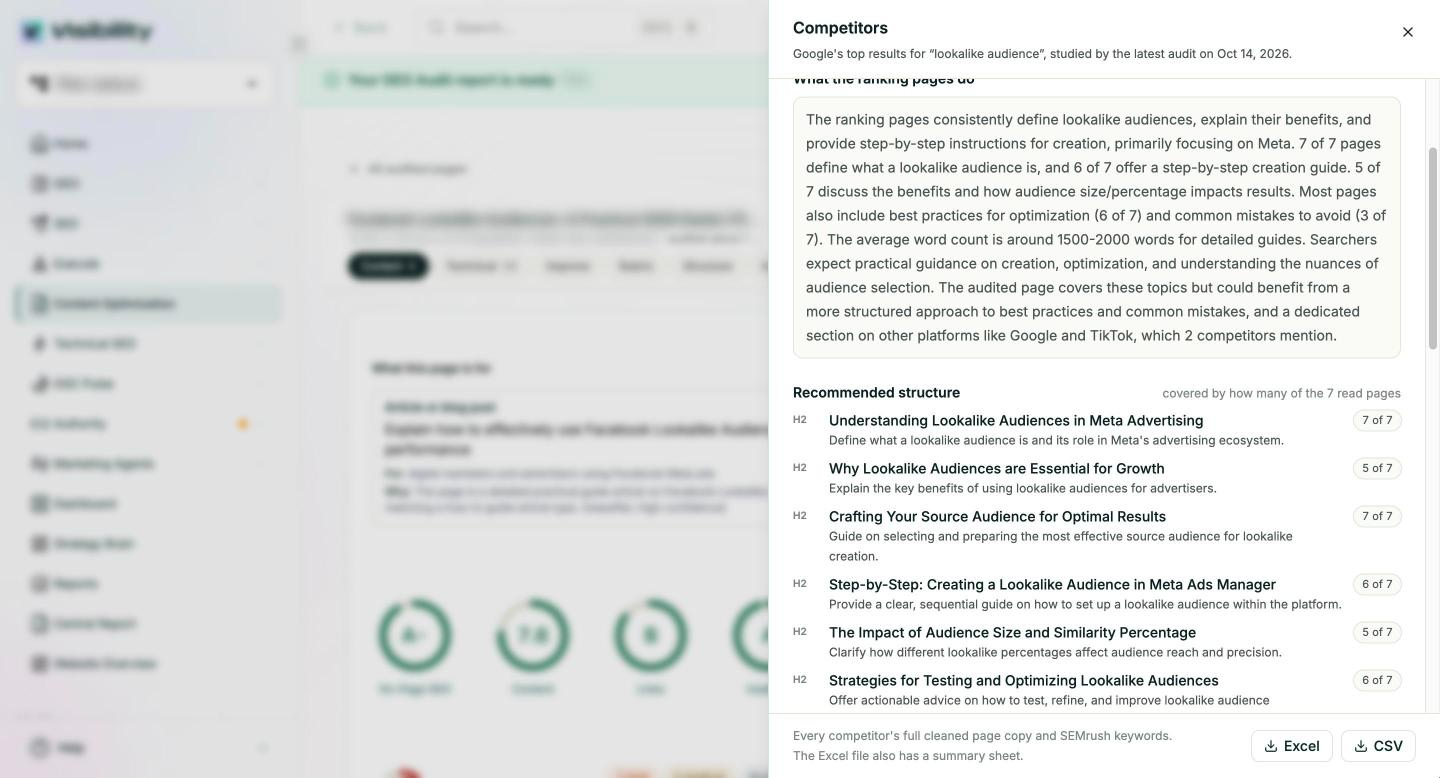
Pixis Visibility tracks keyword positions and benchmarks competitors on domain authority, organic traffic, backlinks and referring domains. Its page optimization audits score each page on technical and content measures and list the gaps with their severity, which is a useful cross-check on what your manual teardown found. Its Competitors view reads the pages Google ranks for a page's main keyword, summarizes what they consistently cover, and recommends an H2 structure that shows how many of those pages cover each section. Its Google Search Console connection shows before-and-after content impact per page and per query once the update ships.
You can schedule custom reports and alerts, including an alert when a competitor gains ground, and send them to Slack, so a shift in the SERP prompts a fresh teardown instead of waiting for the quarterly check. If AI answers matter for the topic, it also tracks how often your brand is mentioned and cited across ChatGPT, Perplexity, Gemini and Claude.
Deciding which gaps to close, and writing sections that are better rather than merely present, stays with your team.
Run one teardown this week
Pick the page that matters most and sits just outside the top 10. Collect its SERP, fill in the spreadsheet, and sort every subtopic and format into the three bands. Close the consensus gaps first, decide on the common ones, and leave the rest.
Then date the teardown, publish the update, and check the position and Search Console data once the page has been recrawled. One complete cycle on one page teaches more than a half-finished spreadsheet for twenty.
Get started with Pixis Visibility to track the position of every page you update and get alerted when a competitor gains ground on your main keywords.
FAQs
What should I compare when analyzing competitor page structure?
Page type, H2 and H3 headings, subtopics, formats such as tables, steps, FAQs and video, last-updated dates and internal linking patterns. The strongest signals are patterns shared by 6 or more of the top 10 pages.
Should I copy a competitor's page structure?
No. Use the teardown to see which questions searchers expect answered, then answer them in your own way. A page that mirrors the top results adds nothing new, which gives Google little reason to rank it above them.
How often should I re-run a teardown?
Quarterly is enough for stable keywords. Re-run it sooner when the page drops, after a core update, or when a competitor alert shows someone gaining ground on the query.