
Your fifth client signs, and the setup that worked for four starts to creak. Competitor lists live in one spreadsheet, prompt sets in another, and last month someone nearly sent client A's keyword report to client B. Now the new client also wants to know how they show up in ChatGPT.
Running SEO and GEO for several clients is mostly an organization problem. The research is the same as for one brand. What changes is that every connection, competitor list, prompt set and report has to stay separate, and every client still expects a report that reads as if it were written only for them.
The other shift is GEO itself. Clients are asking about AI answers, and an agency that can show prompt-level evidence turns that question into a deliverable instead of a vague promise.
This guide covers how to separate client data, onboard each account the same way, build reports you can brand as your own, keep monthly effort down, and check the setup before the first review.
Key takeaways
- Give every client a separate site setup with its own Search Console connection, competitors, prompts and brand rules. Shared setups are where data leaks between clients.
- Use one onboarding pack for every client, so each account starts with the same inputs and the first audit runs against the right data.
- Run a baseline SEO and GEO audit before the first report. Without a baseline, later gains are claims rather than evidence.
- Build white-label reports from a template your team owns: exported data, your branding, and a short narrative on what changed and why.
- Pixis Visibility keeps each client as its own site with separate settings and member roles, and automates audits, alerts and scheduled reports; branding and narrative stay with your team.
Keep each client's data separate from day one
The safest structure is one site setup per client, with nothing shared across accounts except your team's own templates. Each client gets its own Google Search Console connection, competitor list, keyword set, AI prompt set and brand rules.
Separation does three jobs. It prevents one client's keywords or strategy from showing up in another client's view. It makes every export pull from a single clean data set. And it lets you give each client access to their own data without exposing anyone else's.
Access deserves its own decision. Ask clients to add your agency as a user in Search Console rather than an owner, and assign roles in your tools so team members can move between accounts while clients see only their own.
Collect the same onboarding pack from every client
A standard pack shortens setup and makes every account comparable. Ask for these before you configure anything:
- Website URL and Search Console access for the right property
- A competitor list, ranked by the competitors the client worries about most
- Ten to twenty questions buyers ask in the client's category, covering branded, category and comparison queries
- Brand voice guidelines, including claims the client cannot make and terms to avoid
- The client's reporting contacts and the date of the first review
Since SEO and GEO overlap but measure different things, the pack covers both from the start rather than bolting GEO on in month three.
Set up each client in four passes
1. Connect Search Console and confirm data arrives
Connect the client's property and check that clicks, impressions and query data are actually coming through. A connection that shows zero data is usually a permissions problem, and it is easier to fix on day one than the night before a report.
2. Add competitors and keywords
Enter the competitor list and the keyword set you will track. Prioritize competitors by the share of voice the client is losing to them, because a benchmark only covers the domains you enter.
3. Build the AI prompt set
Turn the buyer questions from the onboarding pack into a prompt set and run it across ChatGPT, Perplexity, Gemini and Claude. Read the actual answers, not only the scores, and note which competitors and sources appear. Keep the prompts the same each month so the trend means something.
4. Record the client's voice and constraints
Store the brand voice rules, claim restrictions and terms to avoid with the client's setup, not in a shared folder. Every brief and draft for that client should start from them.
Run a baseline audit before the first report
The first deliverable should be a baseline, not a progress report. Run two audits:
- A GEO audit that records how often the client is mentioned and cited across AI engines, their share of voice against competitors, and where they are absent.
- A technical SEO audit covering Core Web Vitals, broken URLs, internal links, orphan pages, sitemaps, robots.txt, images, schema and metadata.
An illustrative example: a B2B SaaS client onboards with 15 competitors and 40 target prompts. The baseline shows the client appears in answers for a minority of comparison prompts, while two competitors appear in most of them. That gap is the most useful slide in the first review, because it turns GEO from a concept into a list of specific questions to win.
Build white-label reports from a template you own
Clients judge an agency by its reports, and a report that looks like a tool screenshot undersells the work. White-labeling is a template decision more than a tool feature.
Build one report template in your agency's design (or the client's, if they prefer), then fill it each month with exported data. A good monthly report has four parts:
- What changed. Rankings, clicks, AI mentions and citations against last month and the baseline.
- Why it changed. Link movements to the work you did. For example (illustrative), a rise in citations on comparison prompts after the agency added a comparison table to three pillar pages.
- What is still missing. The prompts where competitors appear and the client does not.
- What happens next. The two or three actions planned for the coming month.
Raw metric dumps without this narrative leave clients unable to see what improved or what the agency did about it. For a fuller treatment of tying gains to causes, see causal pathways in SEO and GEO.
Keep monthly effort per client low
Time per client grows quietly unless the repeat work runs on a schedule. Three habits keep it in check.
- Schedule audits and alerts. A technical audit that runs weekly and emails only when a threshold is crossed replaces a manual check across every account.
- Schedule the data pull. Recurring reports that arrive before your reporting day mean the team starts from current data, not from exports.
- Spend the saved time on the narrative. Once data collection is automated, per-client effort should shrink to reviewing exceptions and writing the "why" section.
Consolidating tools helps too. Every extra spreadsheet in the chain is another place where client data can mix; see the SEO tool stack audit for how to map and reduce it.
Check the setup before the first review
Run these checks for every new client before the first reporting cycle:
- The client's setup shows only that client's data, keywords and competitors.
- Search Console returns current clicks and impressions for the right property.
- The prompt set returns answers from all four AI engines; a missing engine understates visibility.
- A sample of AI answers matches what you see when you ask the same question yourself.
- A test login with the client's role sees only their own data.
Where Pixis Visibility fits
In Pixis Visibility, each client is set up as its own site with a separate Google Search Console connection, prompt sets, up to 20 tracked competitors and Strategy Brain settings for brand voice, claim sensitivity and terms to include or avoid. Workspace member roles control who sees what.
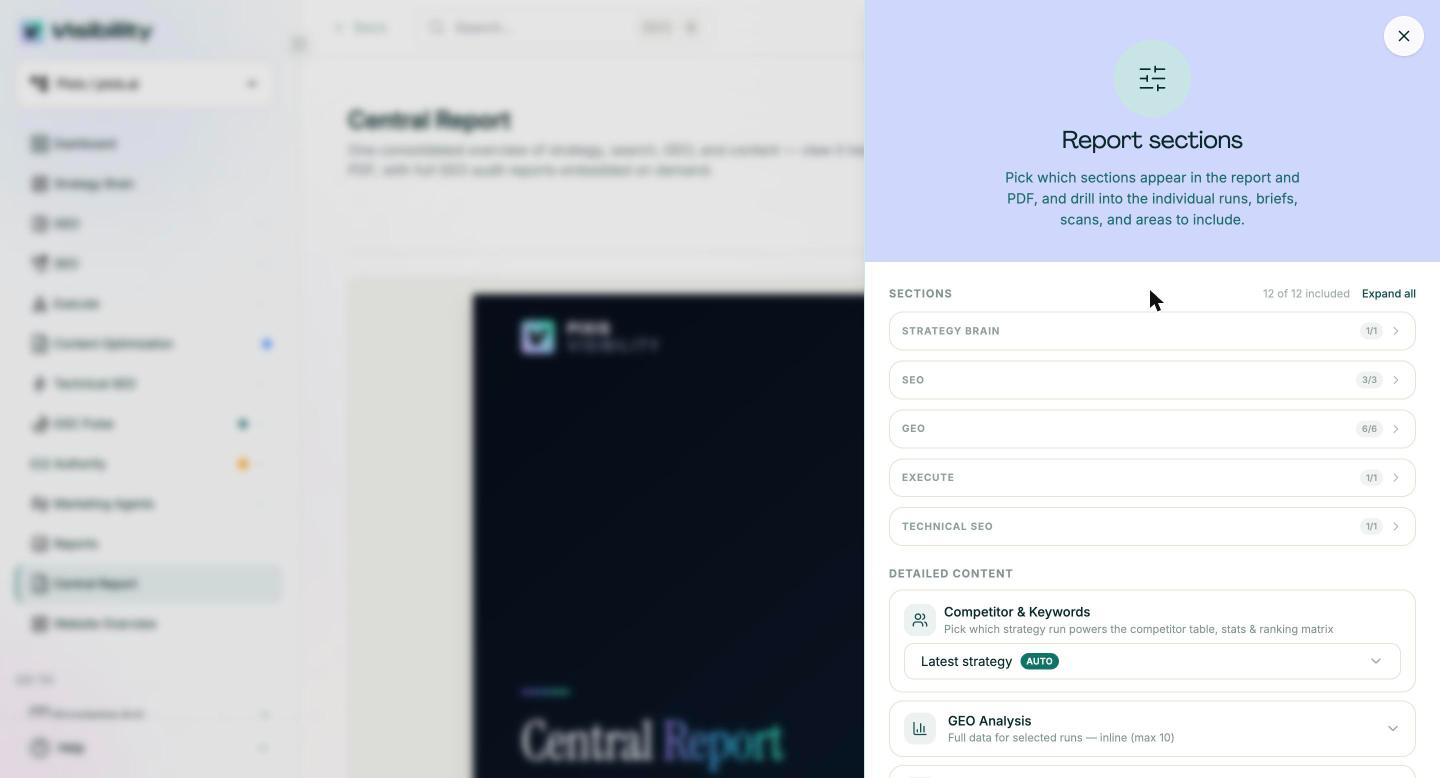
The GEO audit records a GEO score, share of voice by funnel stage and maturity stage, and exports as PDF or PowerPoint, so the baseline is ready to drop into your report template. Each client site also has a Central Report, a consolidated overview of strategy, search, GEO and content that exports as a PDF. Technical audits run on a daily, weekly or monthly schedule with email alerts, and scheduled custom reports and Slack integration keep each account's data current without manual pulls.
What stays with your team: the report template and its branding, the monthly narrative, the choice of prompts and competitors, and the judgment about what each client should do next.
Start with one client and a clean baseline
Pick your newest client and run the full setup: onboarding pack, four setup passes, baseline audits and the five checks. Write the first report in your template and note how long each step took.
Then repeat the same sequence for the next client and keep the template fixed. By the third account, the setup becomes routine and the time goes into the analysis clients actually pay for.
Get started with Pixis Visibility to run separate SEO and GEO tracking for every client and export a baseline audit for your first review.
FAQs
How do I sell GEO as a line item to existing SEO clients?
Run a GEO audit and show the client specific questions where competitors appear in AI answers and they do not. Frame the proposal around winning those prompts, with a clear monthly measure, rather than around the technology. For how agencies and platforms split this work, see AEO agency vs AEO platform.
What is the difference between SEO and GEO in client reporting?
SEO reporting covers rankings, organic traffic and technical health in traditional search. GEO reporting covers whether AI engines mention and cite the client, at what position, and how often compared with competitors. Most clients need both in one report, side by side.
Should each client get its own login?
Only if they want to see live data between reports. If they do, give them a role limited to their own site and test it before sharing. Many clients prefer the monthly report alone, which keeps the narrative in your hands.